AI video agent · Agent Mode
The AI video agent that makes the video with you
Agent Mode is where you work with Engrama's AI creative director in a conversation. Attach footage, a script or a reference, describe the video you want, and watch the director plan it, edit it with real tools, check it and hand you an editable project.
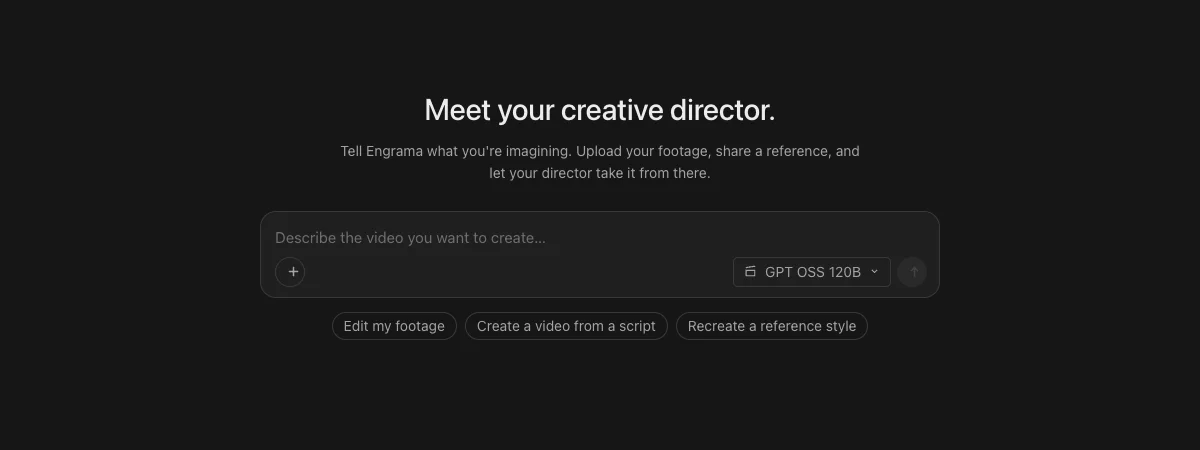
An AI creative partner, not a list of AI buttons
Most AI video tools give you features: a captions button, a silence remover, a clip generator. You still decide what to press and in which order. Engrama's AI video agent takes the goal instead. Tell it “make an engaging launch video from this script” or “turn this interview into a 45-second vertical short”, and the creative director works out every step, assembles a team of specialist agents and does the work.
Three ways to start
Edit my footage
Upload camera footage, phone clips, screen recordings or images and say what the video should be.
Create a video from a script
Paste or upload a script (text, Markdown, SRT, VTT or Fountain). The director casts a voice, plans the visuals and builds the video.
Recreate a reference style
Attach a video, image or audio clip whose style you love. The director studies it and makes your video in that style.
How references work
What happens after you send the brief
It understands your material
Speech is transcribed with word timings; pauses, scenes and loudness are measured; references are watched and listened to.
It asks only what matters
If an important choice is open, you get one short question with options, a recommendation and room for your own answer, or “decide for me”.
It writes the treatment and builds a team
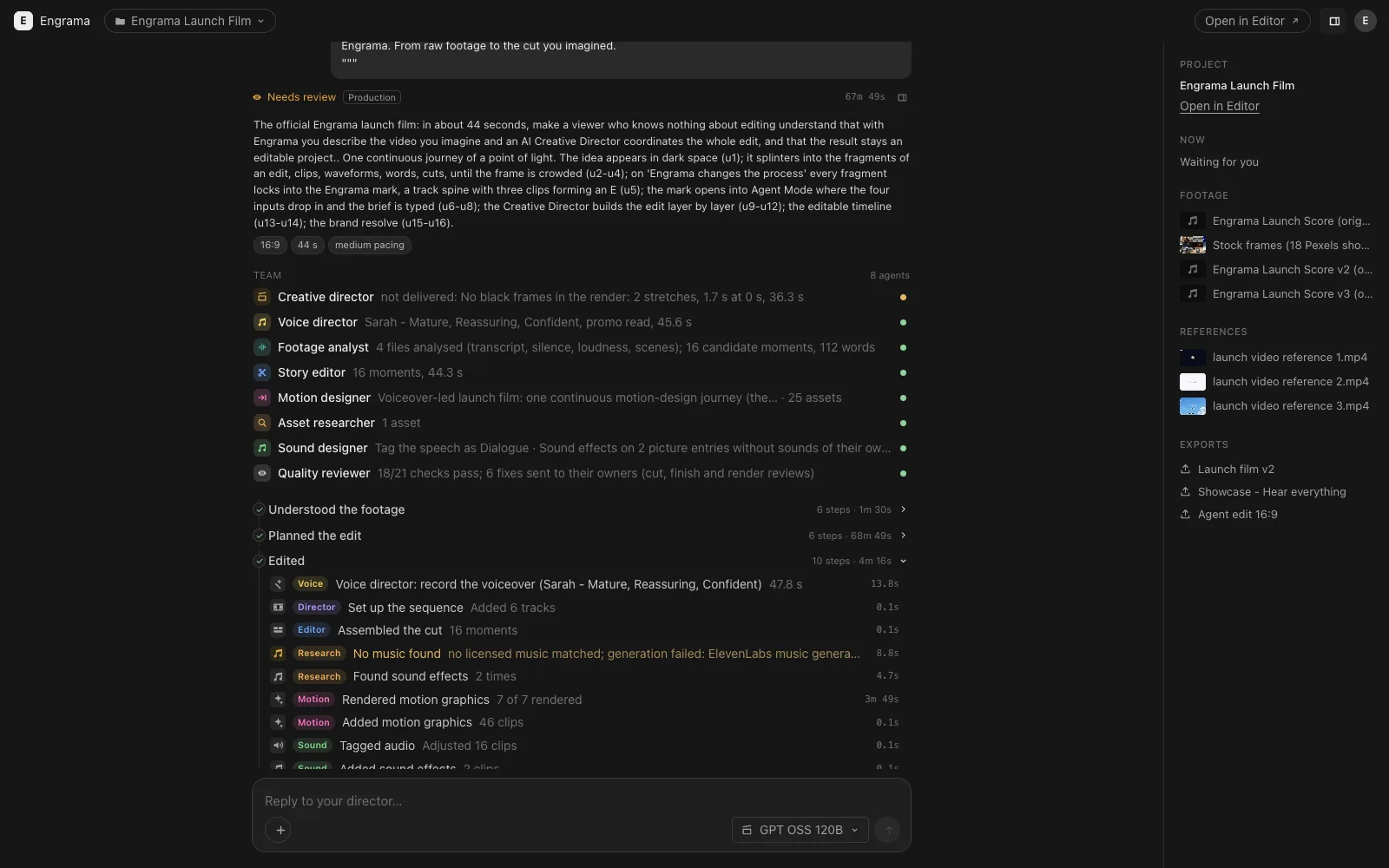
The director sets the objective, length, format, pacing and look, then brings in the specialists the video needs: story editor, motion designer, voice director, asset researcher, sound designer, colourist and reviewer.
You see the real work as it happens
Each stage and each step appears in the conversation with its result: the footage understood, the plan, every edit, the review.
It checks and delivers
The draft is rendered and checked, problems are fixed, and the video lands on an editable timeline as one change you can undo.
A creative director that gets to know you
Engrama remembers. Standing instructions you give in a project, such as brand colours, fonts, caption style or words to avoid, apply to every later edit in that project. Across projects, the director keeps a short profile of what it has learned about you: what you make, your brand or channel, the styles you prefer and how you like to work. Every new project starts from what it already knows, so the creative direction becomes more personal with every video.
You stay in control: the editor's Agent panel shows what is remembered for the project and about you, you can hide any item so it is never used again, and you can clear a project's memory or everything the director knows about you at any time.
The agent and the editor, on one project
Agent Mode and the editor share the same project and the same conversation. Open in Editor shows the agent's edit on a Premiere-style multitrack timeline in the AI video editor, where you can change any clip by hand, then come back to the conversation and keep directing.
AI video agent questions
What is an AI video agent?
An AI video agent takes a goal, such as a launch video or a short from an interview, and carries out the whole job: it plans the video, runs the editing and generation steps, checks the result and revises it. Engrama's agent is a creative director that leads a team of specialist agents.
Do I need my own footage?
No. You can start from footage, from a script, from a voice recording or from a reference video. The director creates or finds what the video needs.
Can I talk to the agent while it works?
Yes. Reply in the conversation to answer a question, give feedback such as “tighter” or “open on the pricing line”, or ask for a new version.
Which AI model runs the agent?
Engrama uses leading language and vision models and lets you choose the model that directs your project from the model menu in Agent Mode.
Give the director your first brief
Attach your footage, a script or a reference, describe the video, and send.
Published by the Engrama team · Updated