Use case · Marketing and product teams
AI video editing for marketing and product teams
Screen recordings, app screens, a script and a short brief become product demos, launch videos, feature announcements and promos, with motion graphics, captions, a voiceover and music. Every piece lands on a timeline your team can keep editing.
What a marketing team can make with it
Product demos from screen recordings
The agent finds where the screen changes and zooms toward that activity, then eases back out, so viewers follow the click without a manual zoom on every step.
Watch a product demoLaunch and feature promos
Animated cards, kinetic type, counting numbers and sliding UI screens from the motion-graphics template library, written in your words and your colours.
AI motion graphicsFounder and customer videos
Talking-head recordings cut on the words, with captions, B-roll and music, for social posts and landing pages.
Talking-head editingThe right format for each channel
9:16 for Reels, TikTok and Shorts, 1:1 for feeds or 16:9 for YouTube and websites, framed on purpose rather than cropped blindly.
How a marketing video gets made
Bring the material
Upload screen recordings, app screenshots, a logo, a script if you have one, and a reference video whose style you like.
Write the brief
For example: “a 45-second launch video for our new reporting feature, upbeat, with our brand colours and a voiceover”.
The director plans and builds it
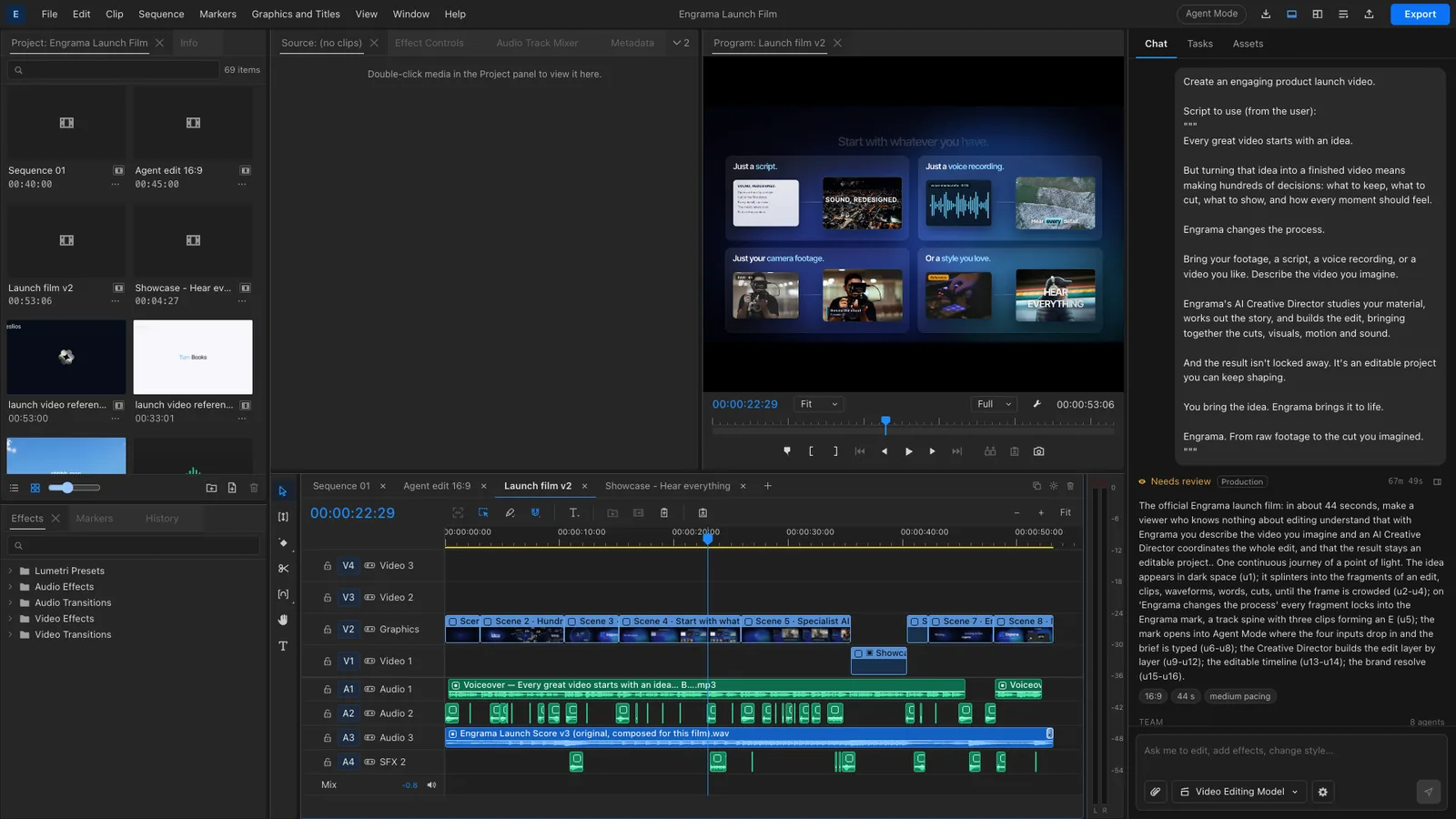
It sets the structure, length and look, writes or follows the script, places zooms, graphics, captions, a voiceover and music, and cleans the sound.
It checks the render
Loudness, black frames, caption problems, contrast and framing are measured on the rendered file and fixed before you see it.
Your team refines it
Ask for changes in plain words, or open the timeline and edit any clip, title or keyframe yourself, then export an MP4.
Keeping videos on brand
Give the director your brand colours, fonts, tone and words to avoid once, in the project's chat; it keeps them as standing instructions and applies them to every later edit in that project. Text in titles and graphics stays editable in Properties, so a reviewer can change a word without a new render. A brand kit shared across projects is not available yet.
Make your next launch video from the raw material
Upload the screen recordings and screens you already have, and describe the video you need.
Published by the Engrama team · Updated