AI video generator
The AI video generator that builds a finished, editable video
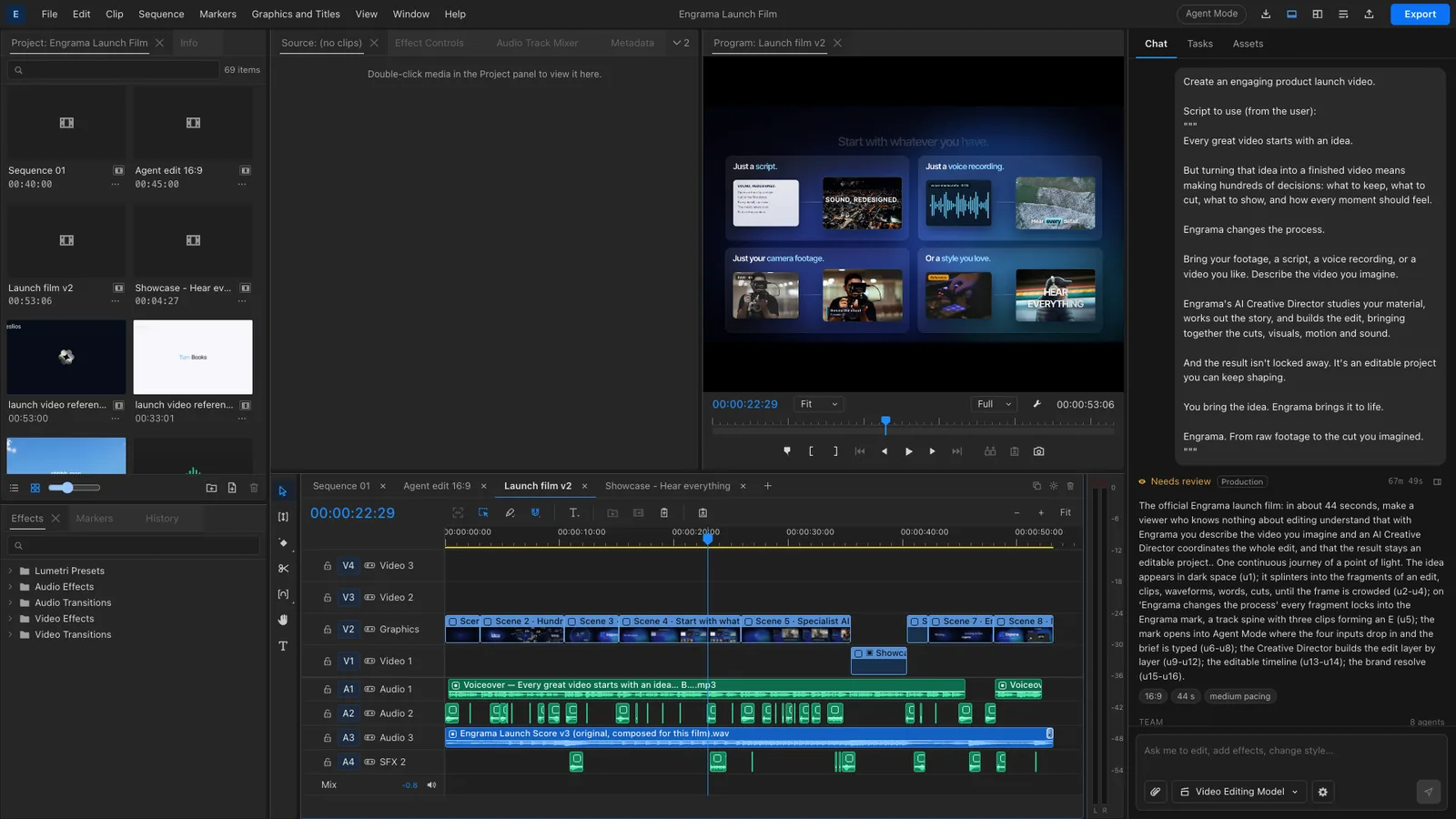
Describe the video you imagine. Engrama's AI creative director plans it, generates the shots, images, voice and sound it needs, combines them with your own footage, and assembles a complete video on a professional timeline you can keep editing.
More than a text-to-video clip
Most AI video generators give you one short clip per prompt. You still have to plan the story, generate dozens of shots, add a voice, music and titles, and cut it all together somewhere else. Engrama does the whole production in one place: it writes the plan, generates what is missing, edits it with your footage and delivers a finished video, with every generated shot as its own clip on the timeline.
Text to video
Describe a scene or a whole video in plain words. The director turns it into a plan and generates the shots the story needs.
Image to video
Bring a product photo, a still or a generated image and turn it into a moving shot for your edit.
Reference-guided
Attach a video you love. Its pacing, framing, type and look guide the shots and the edit.
Reference-based editingGenerated and real, together
Mix generated shots with your camera footage, screen recordings and licensed stock in one timeline.
How to generate a video with AI in Engrama
Describe the video
Write what you imagine: the subject, the audience, the length and the feel. Add a script, a voice recording or a reference if you have one.
The director plans it
It writes the treatment, decides what each moment needs and asks a short question only when the answer would change the result.
Engrama creates the pieces
Generated shots and images, a voiceover, music, sound effects, titles and motion graphics, alongside any footage you uploaded.
It assembles and checks the video
Everything is cut together on the timeline, rendered and checked for loudness, black frames, caption problems and framing.
You refine it
Ask for changes in plain language, regenerate a shot, or edit any clip by hand. Export an MP4 when it is right.
What you can create
Product and launch videos
Kinetic type, product shots, UI cards and a voiceover for a launch, feature or ad.
Motion graphicsExplainers and stories
Animated scenes, characters, diagrams and narration for ideas that have no footage.
AI animationDocumentaries and history
Narrated stories that combine interviews, stock, generated scenes and maps.
Documentary makerSocial videos
Vertical reels and shorts with captions, B-roll, music and sound effects.
Reels and shorts
Video models, chosen for the job
Engrama connects leading AI models for each kind of work: language models that plan and direct, vision models that study references and check the render, video and image generation models for new shots, and voice and sound models for narration and effects. The director sends each task to the model suited to it, and you choose the model that directs your project from the model menu. New models are added as they become available.
AI video generator questions
What is the best AI video generator?
It depends on what you need. If you want a single short clip, a text-to-video model is enough. If you want a finished video with a story, voice, music, titles and edits you can change, Engrama generates and assembles the whole thing on an editable timeline. See how Engrama compares.
Can I generate a video from text?
Yes. Describe the video in plain words, or paste a script. The director plans the video, generates the shots and assets it needs and edits them together.
Is there a free AI video generator in Engrama?
You can create an account and start a project today without paying. Pricing has not been published yet.
Does Engrama add a watermark?
No. Engrama does not add a watermark to your exports. You export a standard MP4 (H.264 and AAC) in the size of your sequence, for example 1080×1920 for vertical video.
Can I edit the generated video afterwards?
Yes. Every generated shot, title, graphic, voice line and sound is a separate clip. You can ask the agent for changes or trim, move, replace and re-time anything by hand in the editor.
Is there an AI video generator app?
Engrama runs in the browser, so there is nothing to install. Open engrama.io/agent on a desktop or laptop to start a video in Agent Mode.
Generate your first video
Describe the video you imagine and let the creative director build it.
Published by the Engrama team · Updated