Edit video with AI prompts
Edit any video with a prompt
Say what you want the video to be, in your own words. Engrama's AI creative director understands the footage and the intention behind the prompt, then cuts, captions, animates, scores and finishes the video on a timeline you can keep editing.
How prompt-based video editing works
A prompt in Engrama is a creative direction, not a command for one tool. “Make it more engaging” means something different for a product demo than for a travel video, so the director first studies your footage (what is said, the pauses, the scenes, the sound) and any reference, then decides which edits achieve what you asked: which moments to keep, the order, the pacing, captions, graphics, B-roll, music, sound and colour. It carries them out with the editor's own tools and checks the render before it hands the video back.
Big asks
A goal for the whole video: a launch film, a YouTube video from a long recording, a short from an interview.
Specific edits
One change at a time: remove the pauses, add captions, a title, a zoom, music, a look.
Feedback
Plain reactions to the cut, such as “tighter”, “more energy” or “open on the budget line”, applied as targeted revisions.
Example prompts
Whole videos from one prompt
- “Make this video more engaging. Make it hard to stop watching.”
- “Create an exciting product launch video from this script.”
- “Turn this long recording into a structured YouTube video with chapters.”
- “Make a cinematic travel video from these clips, with music that builds.”
- “Turn these interviews into a short documentary about hard work.”
- “Edit this footage like my reference.”
Cutting and pacing
- “Remove the pauses and the second takes.”
- “Make it 45 seconds and open on the strongest line.”
- “Tighter. Lose the part about pricing.”
- “Slow down the last shot and hold the end card for two seconds.”
Captions, text and graphics
- “Add word-by-word captions and highlight the key words.”
- “Put a title card at the start and a lower third with my name.”
- “Add animated cards for each of the three points.”
- “Show the numbers as a chart that counts up.”
Pictures, sound and look
- “Add B-roll for what I talk about.”
- “Zoom in when I make the main point.”
- “Add upbeat music and keep it under my voice.”
- “Add sound effects when the graphics move.”
- “Clean up the audio and give it a warm, cinematic look.”
- “Make a 9:16 version for Reels.”
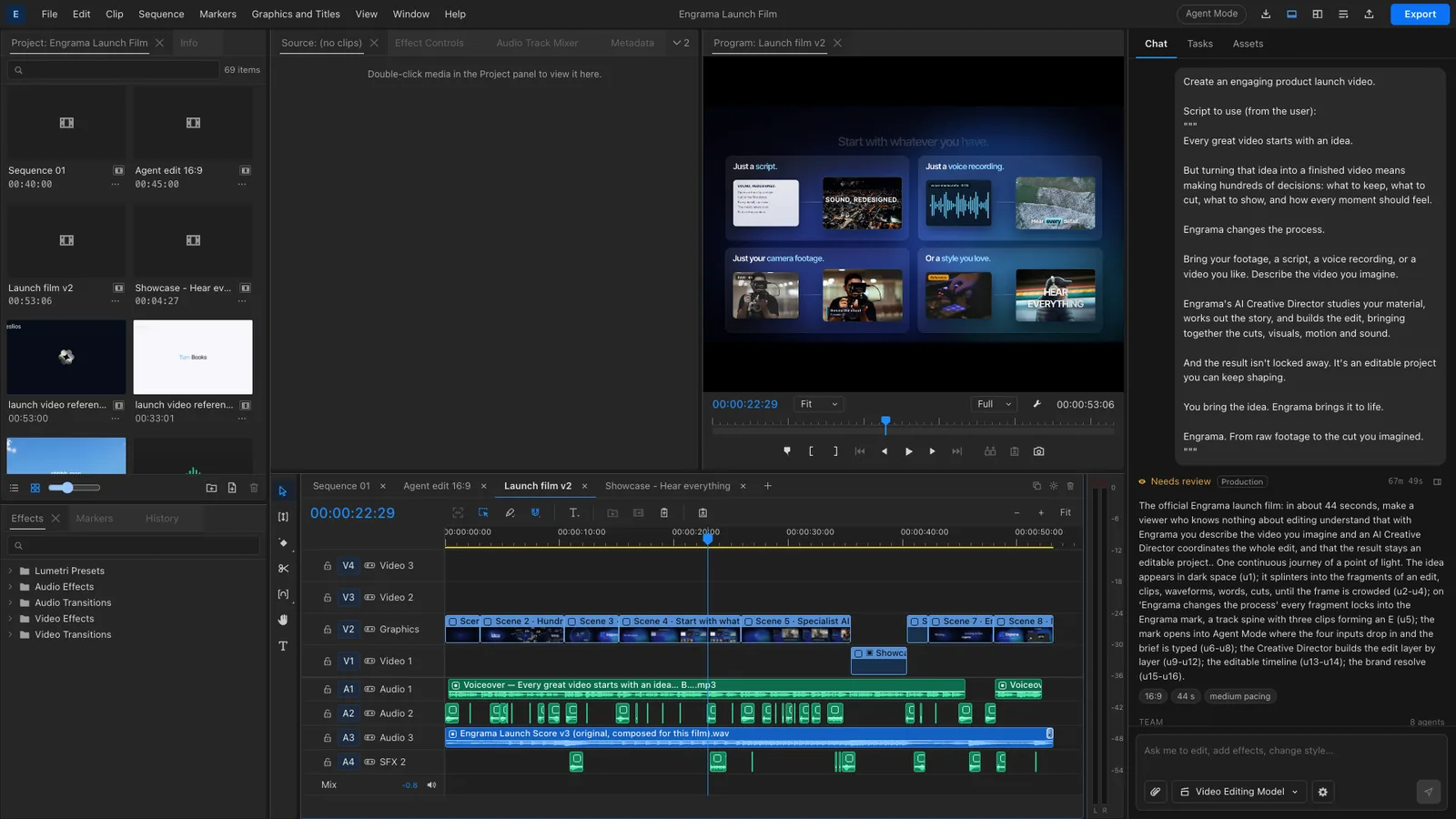
How to edit a video with AI prompts
Upload the video
Add your footage, recordings or images in Agent Mode or the editor. Add a reference video if you have a style in mind.
Write the prompt
Say the goal, the audience and the feel. Length and format help: “a 30-second vertical reel for Instagram”.
Watch it work
The director plans the edit and shows each step as it runs. If an important choice is open, it asks.
Keep directing
Reply with feedback until it is right, or open the timeline and change any clip yourself. Every agent turn can be undone in one step.
Tips for better prompts
- Say who it is for and where it goes. “For LinkedIn, for founders” changes the pace, the captions and the format.
- Give a length and a shape. “About 45 seconds, 9:16” or “a 3-minute YouTube video with chapters”.
- Show a reference. A video you like says more about style than a paragraph of adjectives.
- Name what must stay. “Keep the joke at the start” or “never cut the product shot”.
- React, don't rewrite. After the first cut, short feedback such as “more energy in the middle” works best.
Prompt editing questions
Can AI edit a video from a prompt?
Yes. In Engrama you describe the result and the AI creative director plans and performs the edit: selection, cuts, captions, graphics, B-roll, music, sound and colour, all as editable clips on a timeline.
What kinds of videos can I edit with prompts?
Talking-head reels, interviews, podcasts, product demos and launch videos, tutorials and screen recordings, travel and event footage, documentaries and stories. The director adapts the edit to the kind of video and to your goal.
Will it remember my style?
Yes. Instructions such as “always use our brand colours” stay with the project, and the director keeps a short profile of your preferences for your next projects. More about the AI video agent.
Edit your next video with a prompt
Upload the footage, say what you want, and let the director build it.
Published by the Engrama team · Updated